This project features two distinct visual styles, which each cooresponds to different stages of this project's development.
The first style (featured to the left) is a reflection of the developer's playground. This design prioritizes function over form, and thus visual elements in this style is limited to prioritize functionality.
The second style (featured to the right) is a reflection of what the final playable game will look like. The purpose in having a playable level is for users to test the different accessibility features in a real gameplay scenario. The final product will feature this style almost exclusively.
Developer Playground
Visual Preview
Development Process
The initial version of this project is created within the game engine Unity3D. This engine was chosen due to it's versitility in scripting, as well as it's abundance of community resources to aid in any programming issue. Future versions of this product will eventually be ported over to Unreal Engine, and distributed to developers as an add-on package. As for hardware, this product is compatible with Oculus Quest and Rift at the current moment. Expansion to Rift and other platforms is beyond the scope of this these and thus will be added at a later time.
Introduction
That which is broken, must be fixed.
That simple line is the crux behind the project Access VR. Deaf accessibility features in VR gaming at present is a rarity in the industry, as many popular titles lack even fundamental options like subtitle support. Solutions to this issues is the focus of my thesis project, in which I aim to address the lack of Deaf Accessibility tools in Virtual Reality. It is my firm belief that these tool will help developer make their own VR products more inclusive to the Deaf and Hard of Hearing. This prokect will tackle not just one but 3 solutions, driven by the research data, of dealing with Deaf accessibility in VR. These solutions relate to subtitles/captioning , haptic feedback solutions, and visual cues respectively.
Solution 1 - User Adjustable Subtitles
The APCC System
Adjustable Text System
Solution 1 : User Adjustable Subtitles for VR
Unlike traditional gaming and cinema, subtitles can't be fixated to a screen in VR due to limitations such as there being effectively 3 different cameras that the system has to render from. With subtitles not being renderable on the camera itself, the only other option is having the subtitles appear in world space. From data collected through a mixture of in-person interviews, polls and focus groups it was found that the number one requested feature among Deaf and Hard of Hearing gamers was the ability to have Adjustable Captions in game. The solution was to develop a system that give users the power to adjust the size, shape, color and position of subtitles and captions at will.
The APCC System
Adjustable Placement Closed Caption, or APCC, is a system that was developed to give users the power to adjust the position of closed captioning and subtitles in game. This system was brought about by both the tricky nature of placing subtitles on a screen in VR and the preference of adjustable caption in the Deaf and Hard of Hearing community. As stated prior, the trick with getting subtitles to appear in VR is that the user is constantly moving, which means that subtitles can't be fixed to one point as it would in traditional gaming. To remedy this issue, it requires for subtitles to follow the player, while also giving the player the ability to re-position text where they'd like. This is the essence of the Adjustable Placement Closed Caption system. The process for how this system was broken down and created is featured below.
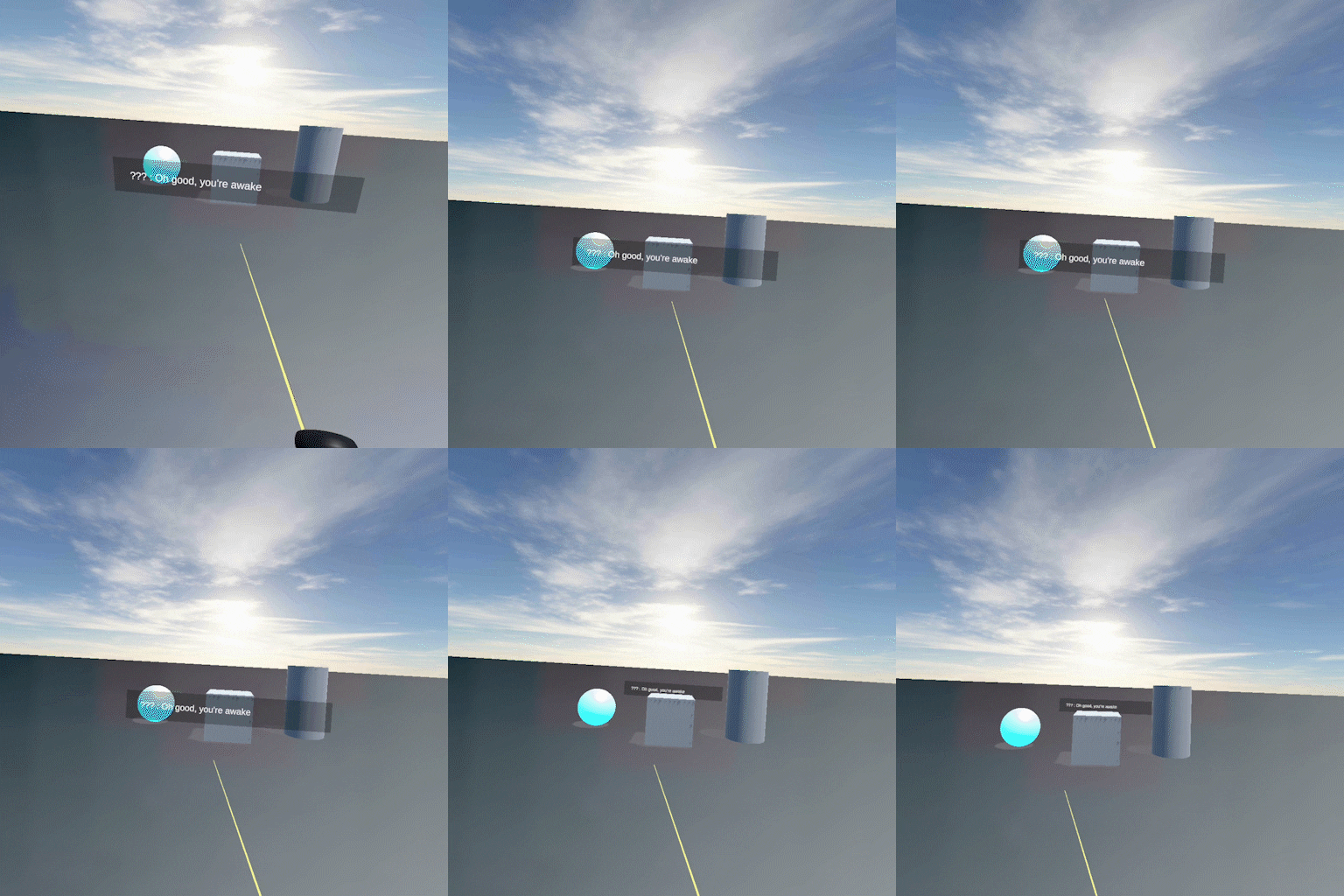
APCC Version 1
The first version of this system focused on getting the subtitles to follow the user's head movement, in addition to changing the distance of the text. The need for the subtitles to follow the user's head position was brought about by the nature of VR itself. By definition, users are expected move their head in VR. Subtitles simply won't work if they don't follow the user.
The distance change was created to account for user preference and sight differences. Users can change the distance of subtitles to conform to their own comfort level.
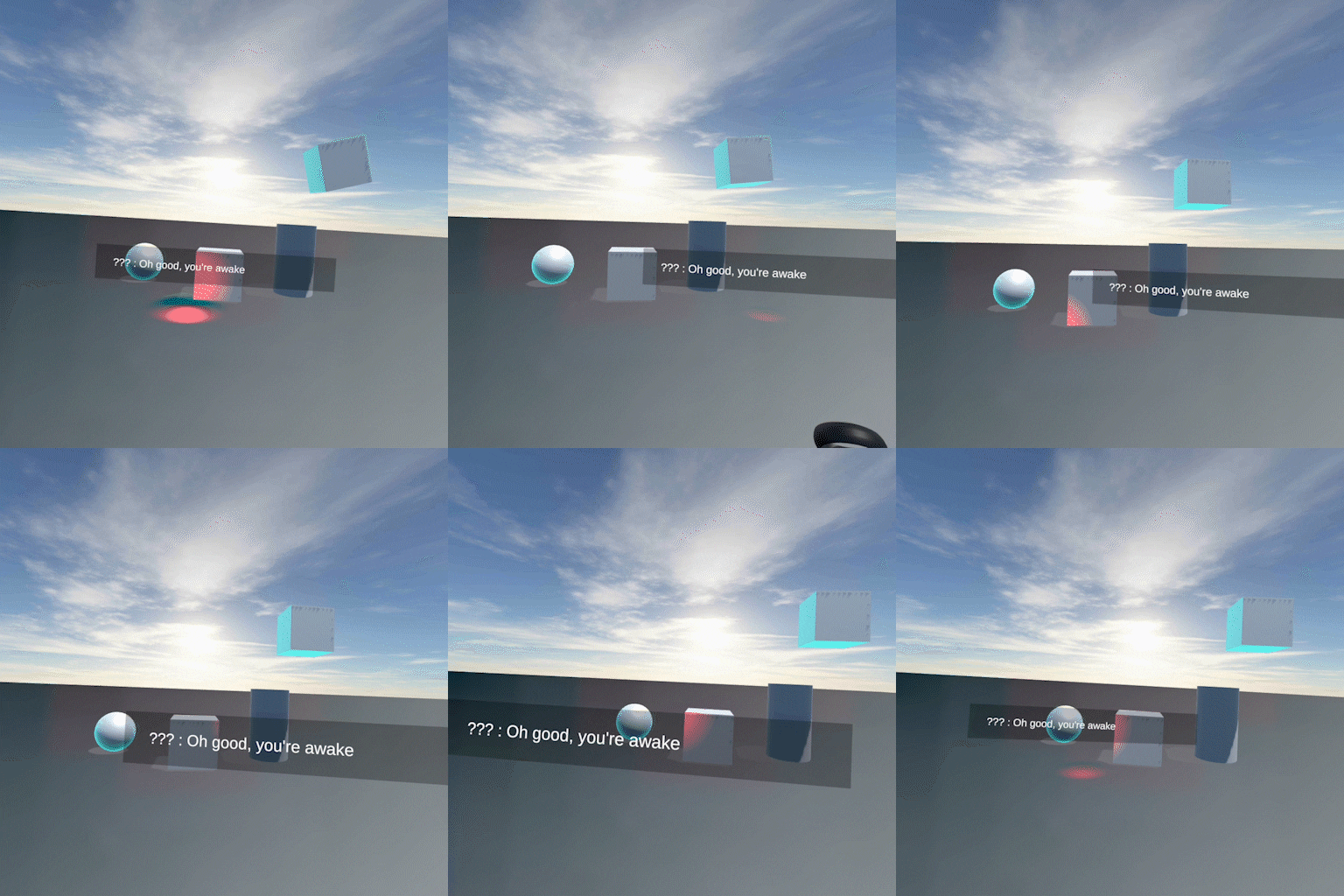
APCC Version 2
This version of the system expanded on the features in the previous version, by adding the ability for the user to position the text where they want on screen. This version uses the Oculus controller to position the subtitles.
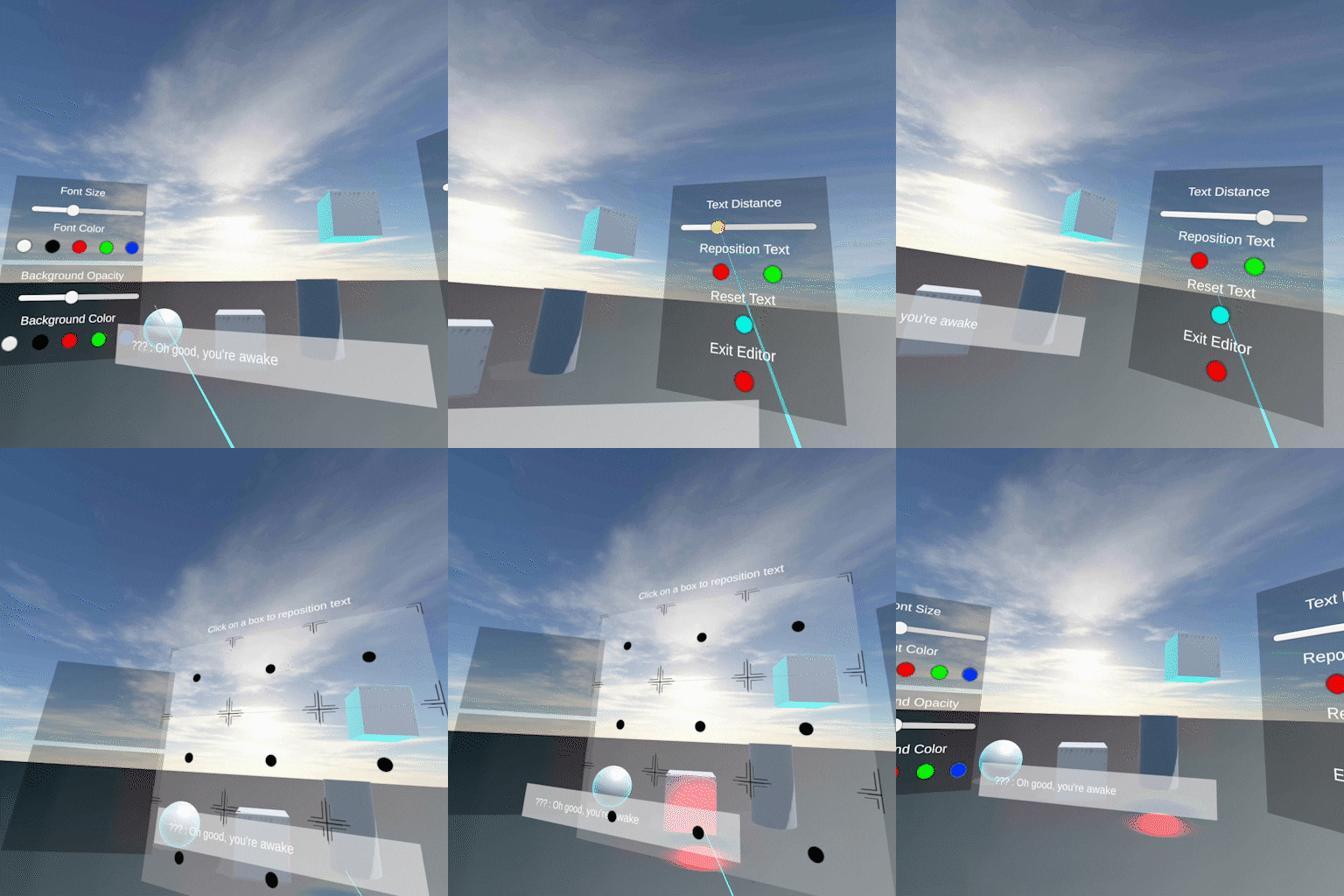
APCC Final Version
The final version of the adjustable placement system continues to fine tune some systems, while totally revamping others.
First task was changing how users access APCC settings through the creation of an in-game editor. From this editor, all of the previous features were folding into this new system and polished. If users wish to change the distance of their text, they now have a slider for easy access. From user testing, it was quickly deduced that using a controller to move text led to undesirable placement of subtitles. A clickable editor was created to allow more predictable placement option for users, and thus more stability in-game.
Adjustable Text System
One of the central points that stuck out from the research into current practices for captioning in games, was the need for users to be able to customize the look and size of the captioned text. Many in the Deaf and Hard of Hearing community took issue with was text being hard to read. This was often brought about due to a lack of contrast, illegibility of font or the small size of text. To tackle this issue, an editor that allows users to change the look, size and color of the text was created. Example of that system is featured below.
This is an example of how adjustable text would work in VR

 APCC Version 2
 APCC Final Version
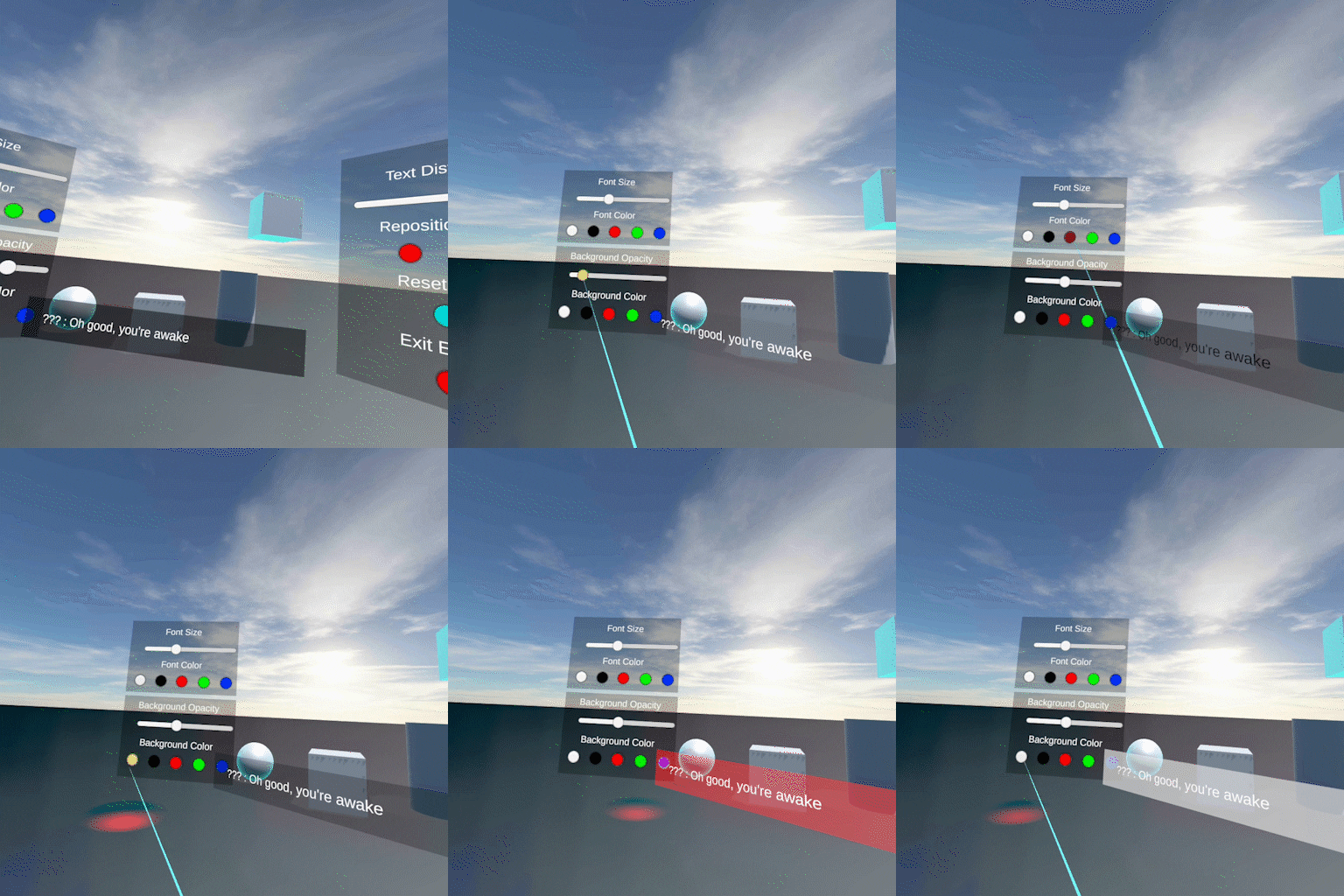 This is an example of how adjustable text would work in VR